API keys
Creates and revokes API keys that let an external script or monitoring tool call KPImailer’s Qlik integration endpoints, without using a personal login.
-
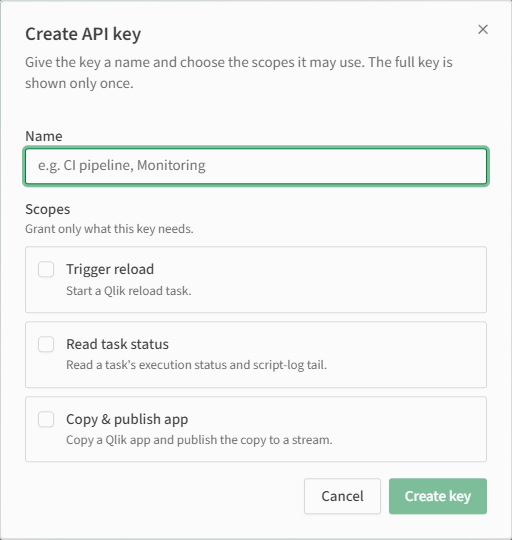
Open Settings → API keys and select Create key.
-
Give the key a Name that identifies what will use it (for example, “CI pipeline” or “Monitoring”).
-
Grant only the Scopes it needs:
- Trigger reload - start a Qlik reload task.
- Read task status - read a task’s execution status and script-log tail.
- Copy & publish app - copy a Qlik app and publish the copy to a stream.
-
Select Create key. The full key value is shown once, immediately after creation - copy it somewhere safe right away, since KPImailer doesn’t store or display it again.
-
Revoke a key from the same page at any time if it’s no longer needed or may have been exposed.
Worked example
Section titled “Worked example”A CI pipeline needs to trigger a Qlik reload task as part of a deployment, but shouldn’t be able to do anything else. An administrator creates a key named “CI pipeline” with only Trigger reload checked, copies the key value into the pipeline’s secret store, and uses it exclusively for that one call.