Dashboard insights & calendar
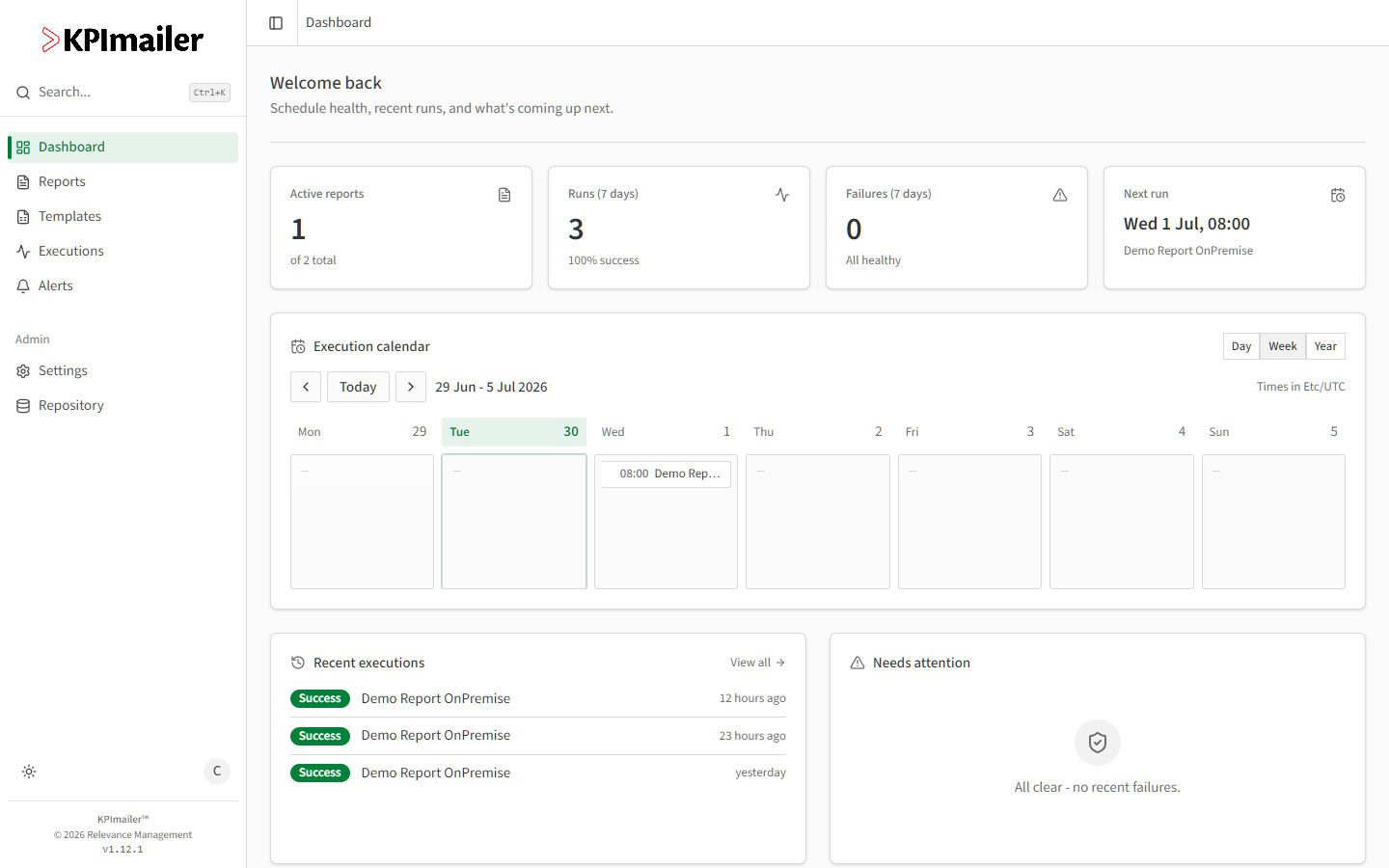
Surfaces report health and what’s scheduled next without opening Executions - the fastest check for “is everything okay” on the way past your screen.
Reading it for monitoring
Section titled “Reading it for monitoring”- Check Failures (7 days) first - it’s the single fastest signal that something needs attention.
- The Execution calendar switches between Day, Week, and Year views; select any entry to jump straight into that report’s editor.
- Needs attention lists recent failures directly, so you don’t have to scan the full execution history to find them.
- Recent executions gives the latest few runs across every report you can see, each linking into its execution detail.
Worked example
Section titled “Worked example”A team lead checks the dashboard each morning: Failures (7 days) reads zero, Needs attention is empty, and the Execution calendar in Week view confirms nothing is overdue - a 10-second check that everything ran as expected overnight, without opening a single report.