Users & roles
Manages who has an account and what each account is allowed to do, through named roles built from granular permissions.
Inviting a user
Section titled “Inviting a user”-
Open Settings → Users. The table lists every account by name, email, assigned Roles, and Status, with a search box to find someone quickly.
-
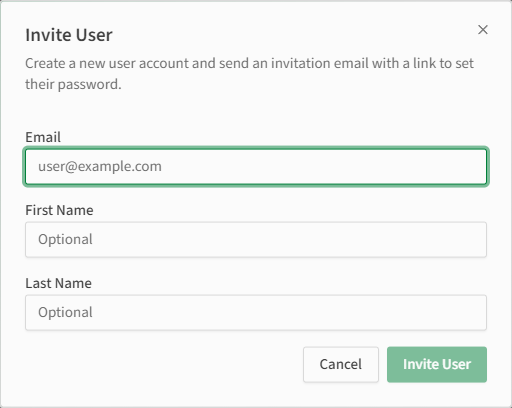
Select Invite User.
-
Enter their Email (required) and optionally their First Name and Last Name, then select Invite User. They receive an invitation email with a link to set their own password.
-
Select a user’s row to open their details, where you can assign roles and reset their two-factor authentication if they’ve lost access to it.
Managing roles
Section titled “Managing roles”KPImailer ships three built-in roles, plus the ability to create custom ones:
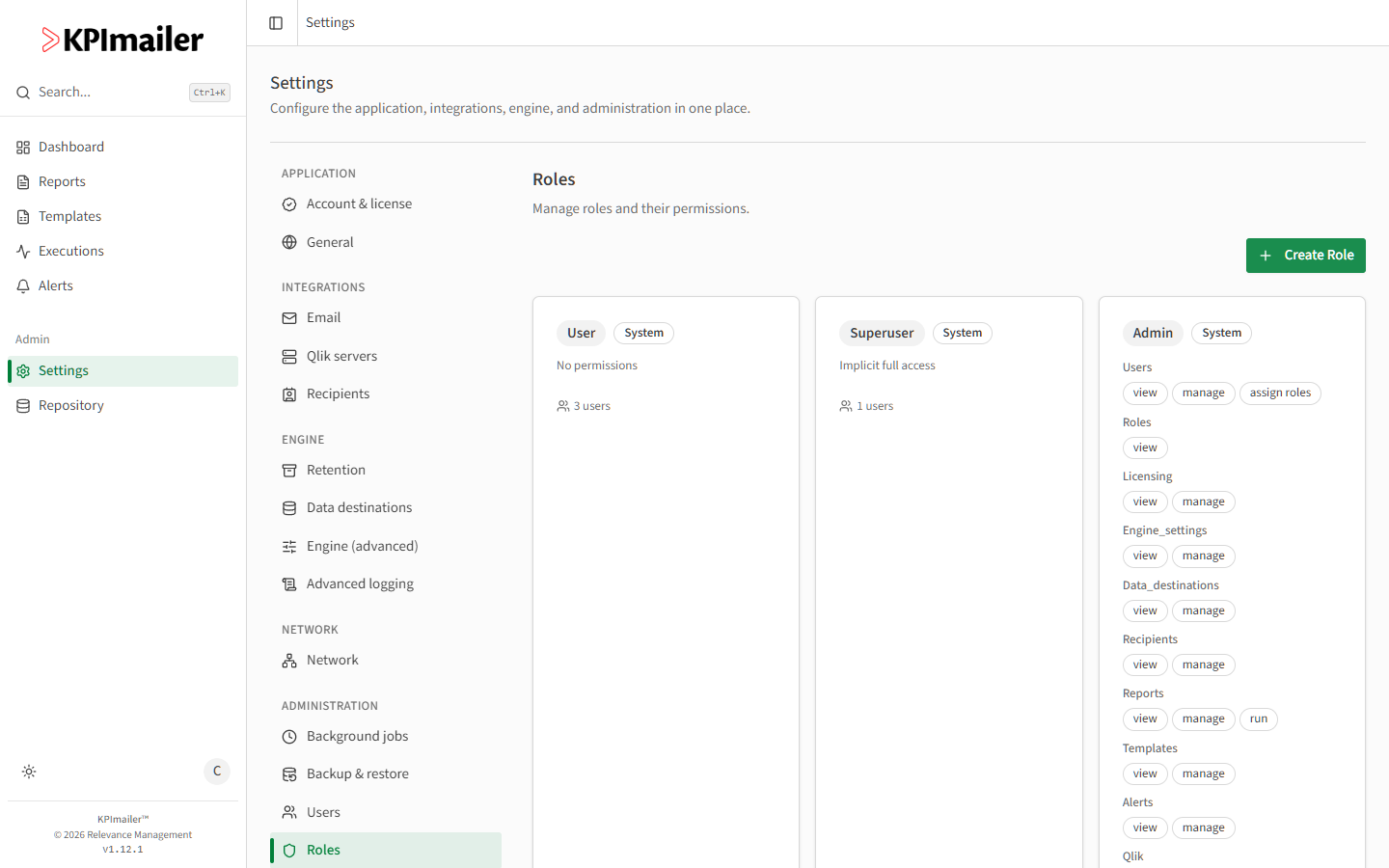
- User - no permissions by default; the baseline for someone who only needs to view what’s explicitly shared with them.
- Superuser - implicit full access to everything, regardless of granular permissions.
- Admin - a built-in role with explicit permissions across every category: users (view, manage, assign roles), roles (view), licensing, engine_settings, data_destinations, recipients, reports (view, manage, run), templates, alerts, qlik (view, manage, sso), api_keys (manage), mail, logs (view), and backup.
Select Create Role to build a custom role - name it, then assign exactly the permission categories and grants (view / manage / run, depending on the category) it needs, rather than reusing Admin for someone who only needs part of its access.
Worked example
Section titled “Worked example”A new team member needs to build and run reports, but shouldn’t be able to change email settings, Qlik connections, or other people’s accounts. An administrator creates a custom role with reports (view, manage, run) and templates (view, manage) granted and nothing else, assigns it to the new user from their account details, and the user can now do their job without broader administrative access.