Browsing apps
Lists every published Qlik app KPImailer can see, so you can check what’s available before building a report or template, and confirm an app’s metadata is up to date.
-
Go to Repository in the sidebar (administrators only).
-
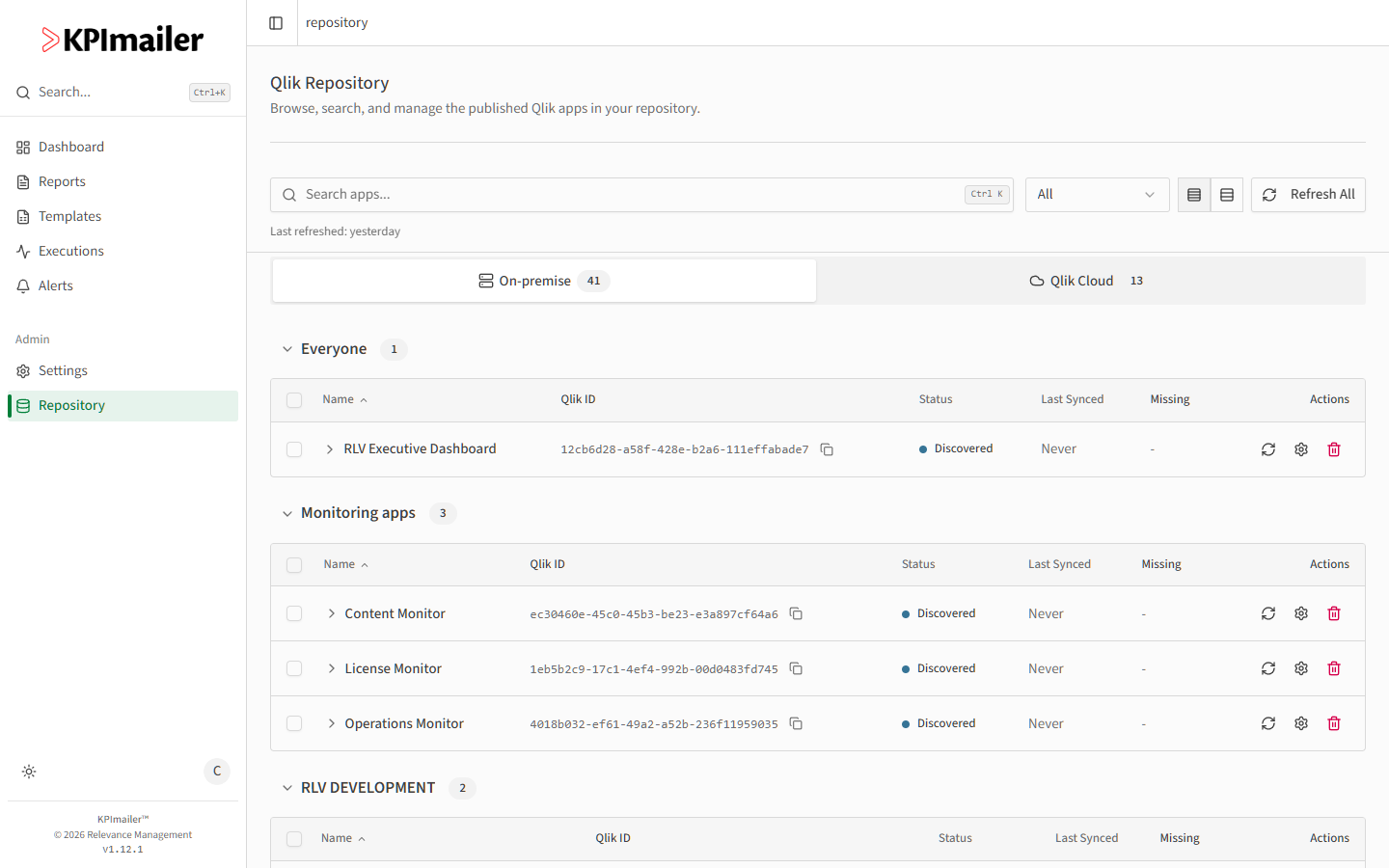
Switch between the On-premise and Qlik Cloud tabs - each shows the apps from that connected Qlik server, grouped by stream (on-premise) or space (Qlik Cloud).
-
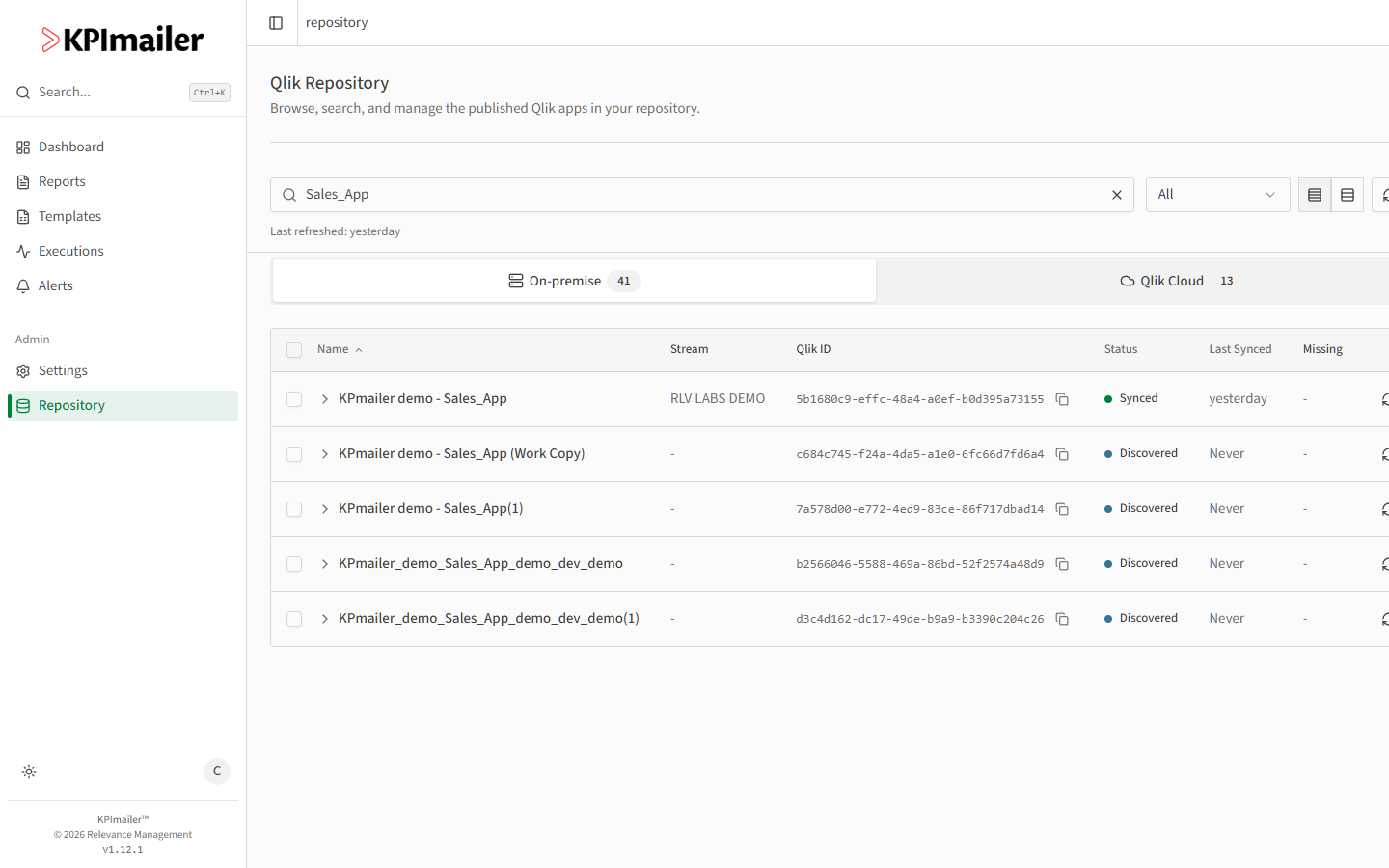
Use Search apps to find one by name across every stream or space at once - search results show each app’s stream alongside its name.
-
Check the Status column: Synced means KPImailer has pulled in the app’s sheets, objects, and fields, so it’s ready to use; Discovered means KPImailer knows the app exists but hasn’t pulled its metadata in yet.
Worked example
Section titled “Worked example”Before building a report against a newly published Qlik app, an administrator searches for it by name in Repository, confirms it shows up under the right stream, and checks its Status. It reads Discovered, so before it’ll appear usable in the report editor it needs a sync first.