Delivery
Chooses how a completed report actually reaches people: by email, written to a server folder, or both - with a debug mode for safely testing the rest.
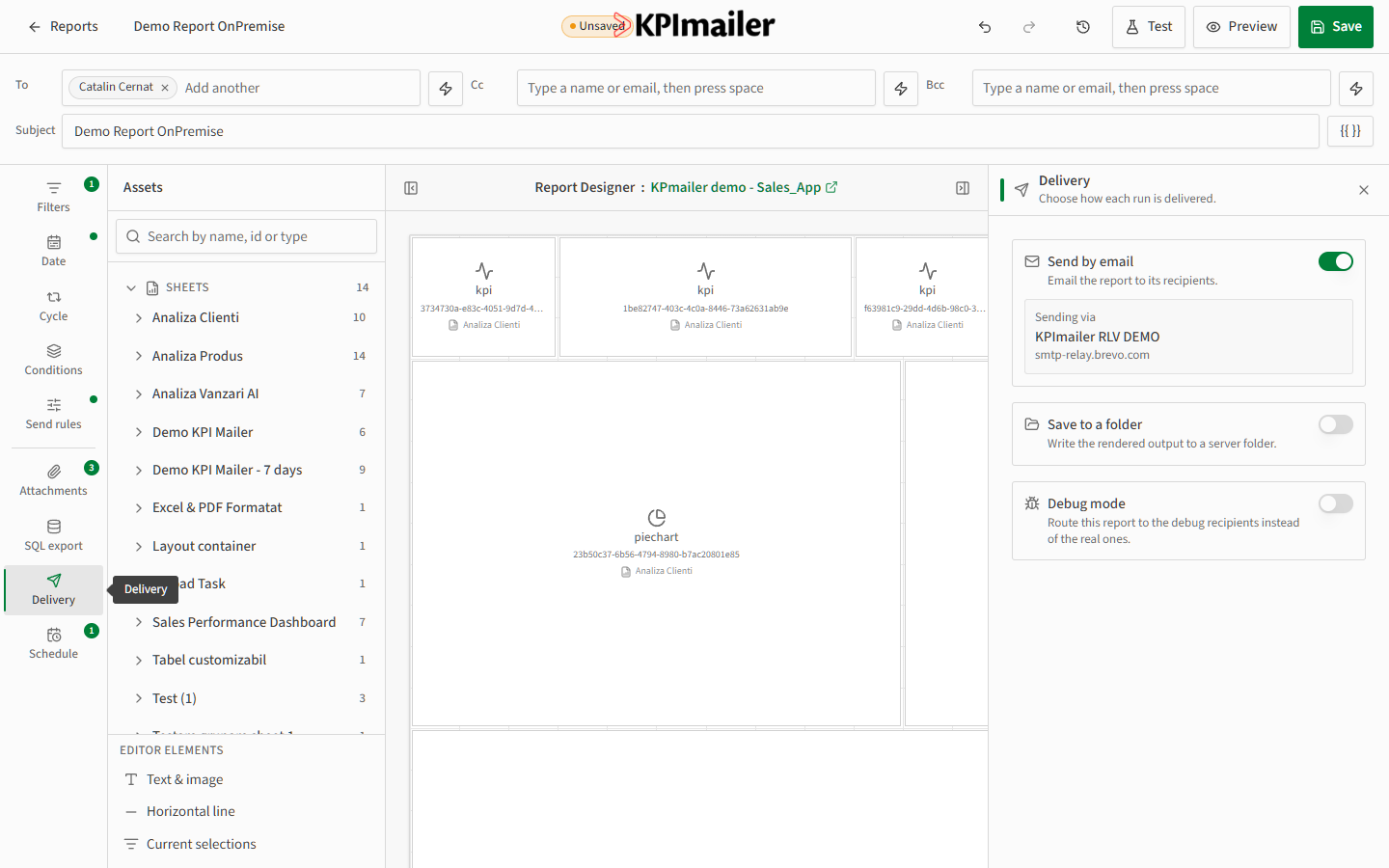
- Open the Delivery tab in the data-scope rail.
- Send by email is on by default and shows which mail profile the report sends through - your organization’s configured SMTP server (see First-run setup). Turn it off if this report should never email anyone.
- Turn on Save to a folder to also (or instead) write the rendered output to a folder on the server - useful for archiving or for other systems that watch a folder for new files.
- Turn on Debug mode to route every send to the debug recipients configured for the mail profile instead of the real recipients - lets you test a report safely without risking it reaching real recipients.
Worked example
Section titled “Worked example”While building a new commission report, the author turns on Debug mode and runs it several times, checking each version lands correctly in the debug inbox. Once the layout and data are correct, they turn Debug mode off and run a final test to the real recipients before scheduling it.