Data
Controls what data a report sees and how many copies it sends: global filters, a date range, bursting one copy per recipient, and rules that gate whether it sends at all.
Filters
Section titled “Filters”Open the Filters tab to apply Qlik selections before the report renders - the same effect as selecting values in Qlik Sense itself, but baked into the report.
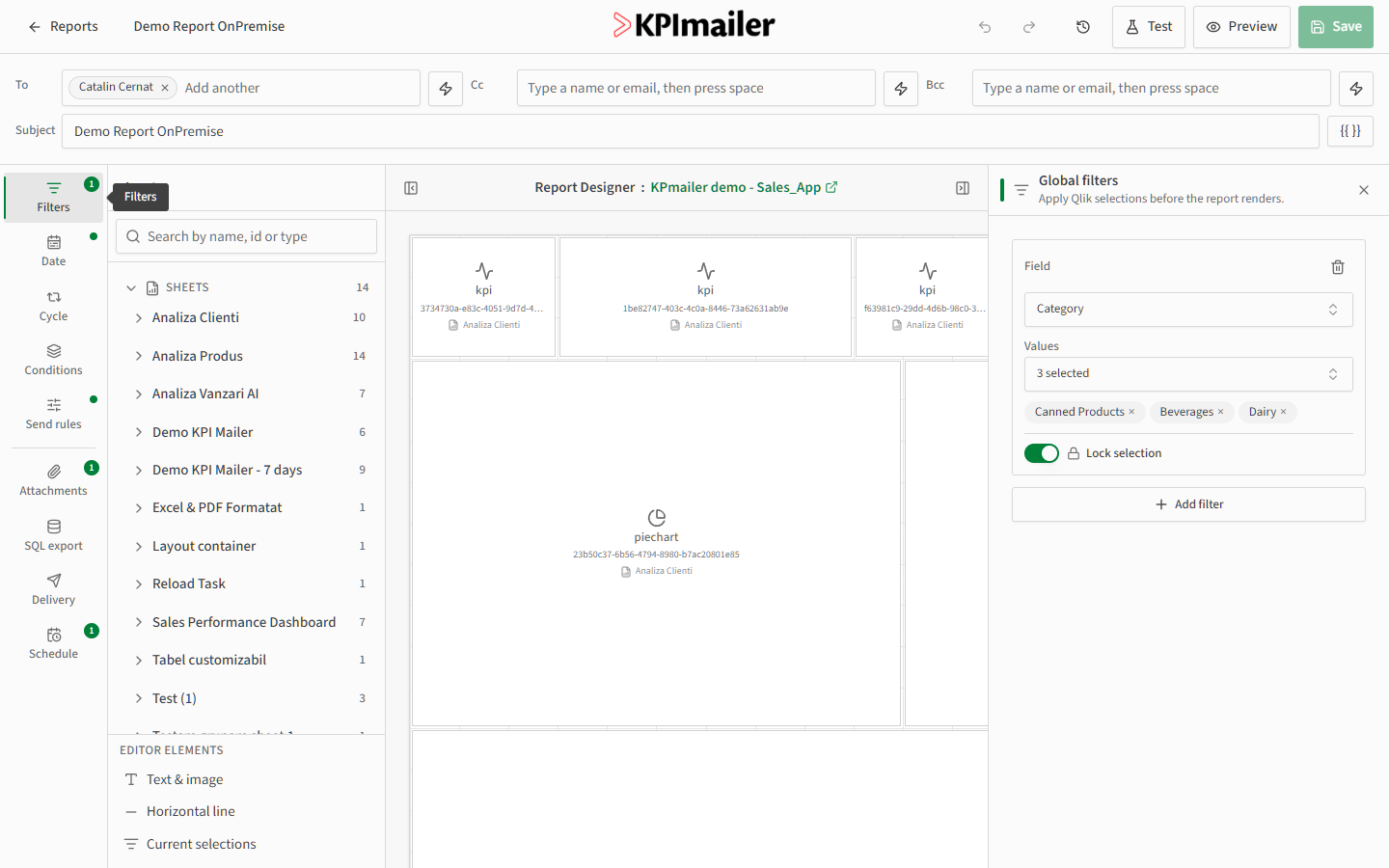
Select Add filter, choose a field, then choose the values to select. Turn on Lock selection to prevent those values from being overridden elsewhere (for example by a bursting cycle). Add as many filters as you need.
Date range
Section titled “Date range”Open the Date tab to scope the report to a date field and range.
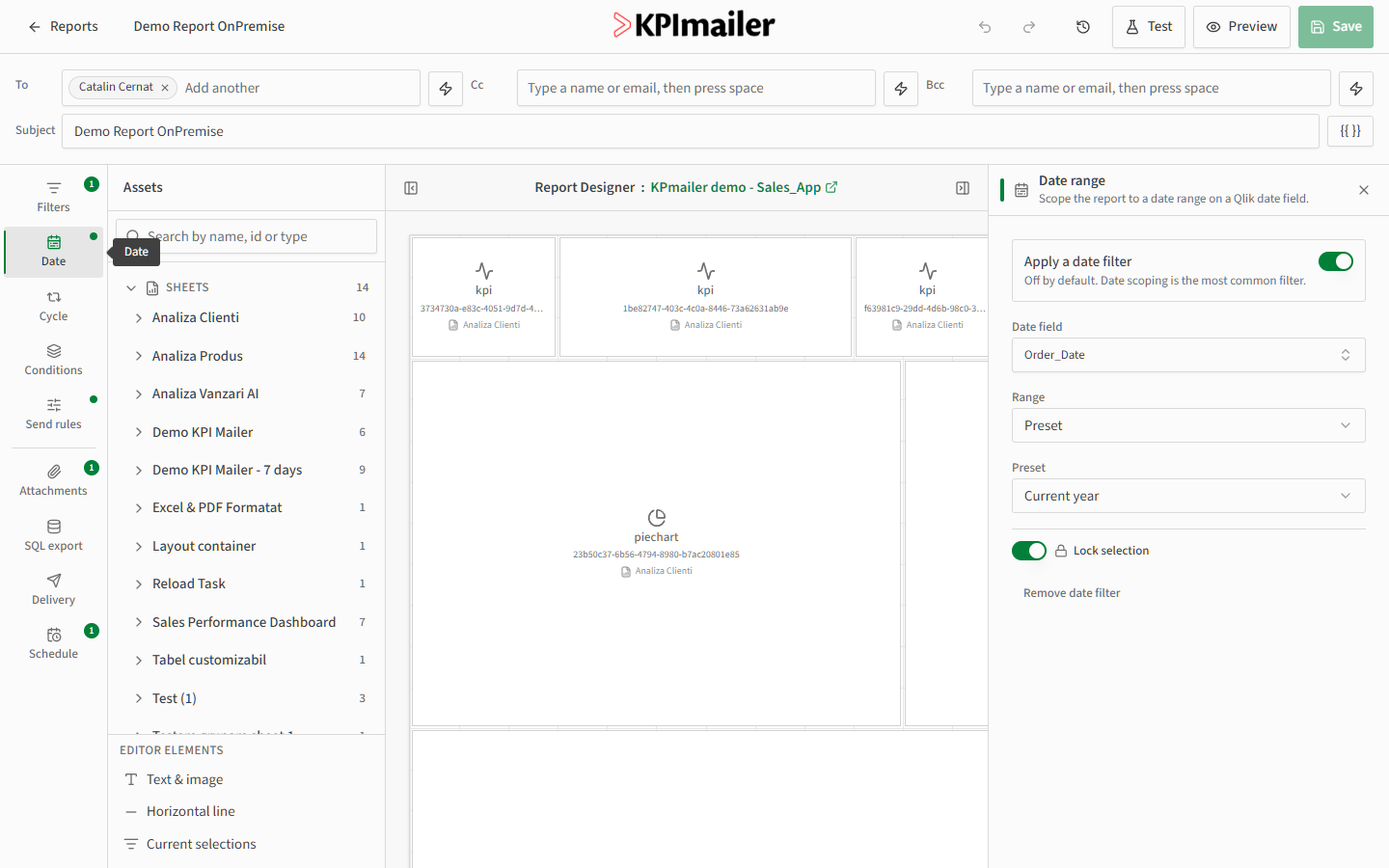
Turn on Apply a date filter, pick the Date field, then choose a Range: a quick Preset (such as Current year, Last 7 days, or Last month) that always stays relative to today, or a fixed custom range. Like filters, the date range can be locked.
Bursting (Cycle)
Section titled “Bursting (Cycle)”Open the Cycle tab to send one personalized copy of the report per distinct value of a Qlik field - bursting, for example, one email per customer or per region instead of a single combined report.
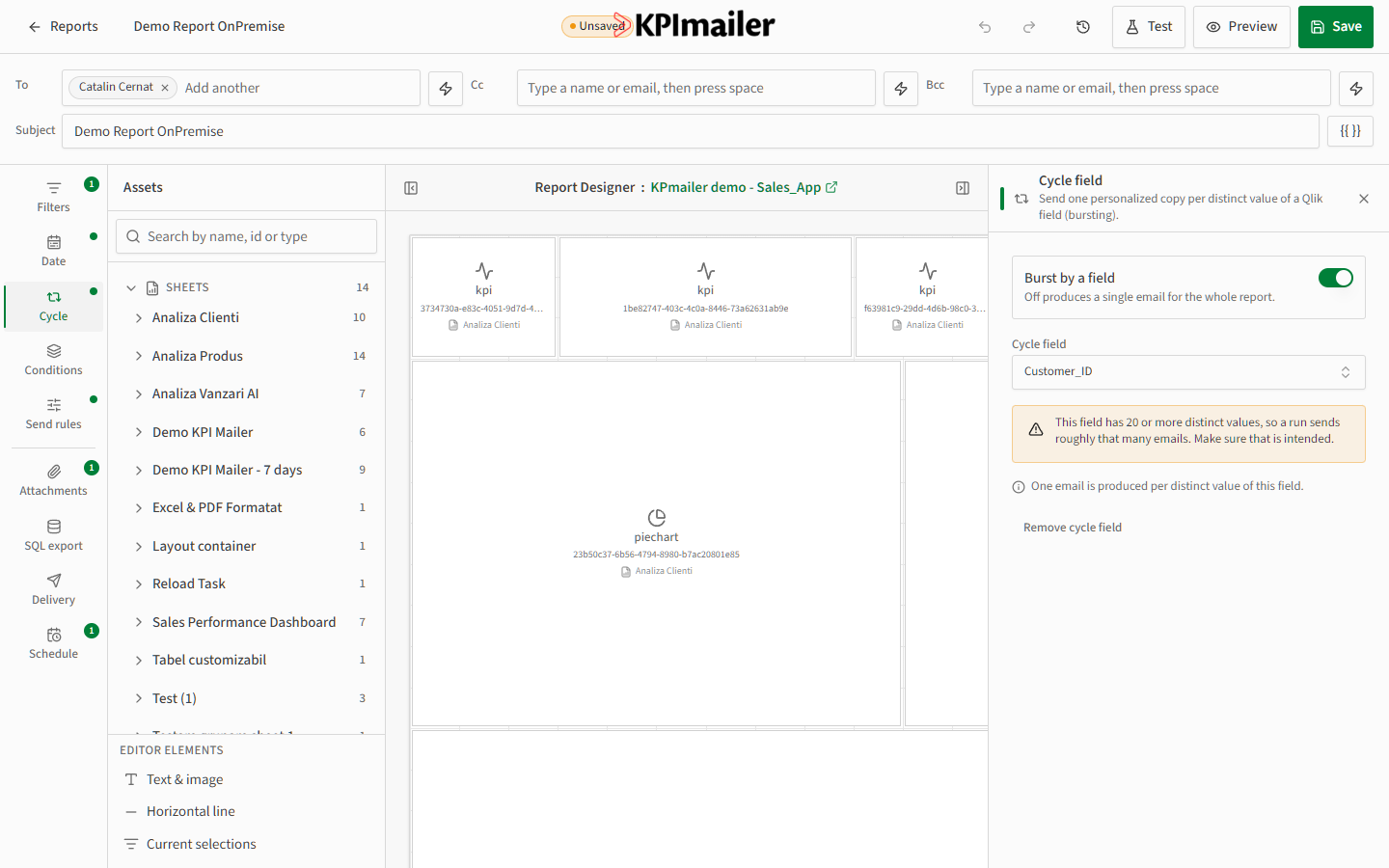
Turn on Burst by a field and choose the Cycle field. KPImailer warns you when a field has a large number of distinct values, since each one produces a separate email - double-check the field before running. Combine bursting with a dynamic recipient field on the To line to route each burst to the right person automatically.
Send rules
Section titled “Send rules”Open the Send rules tab to gate the entire report on a condition - if it isn’t met, nothing sends at all.
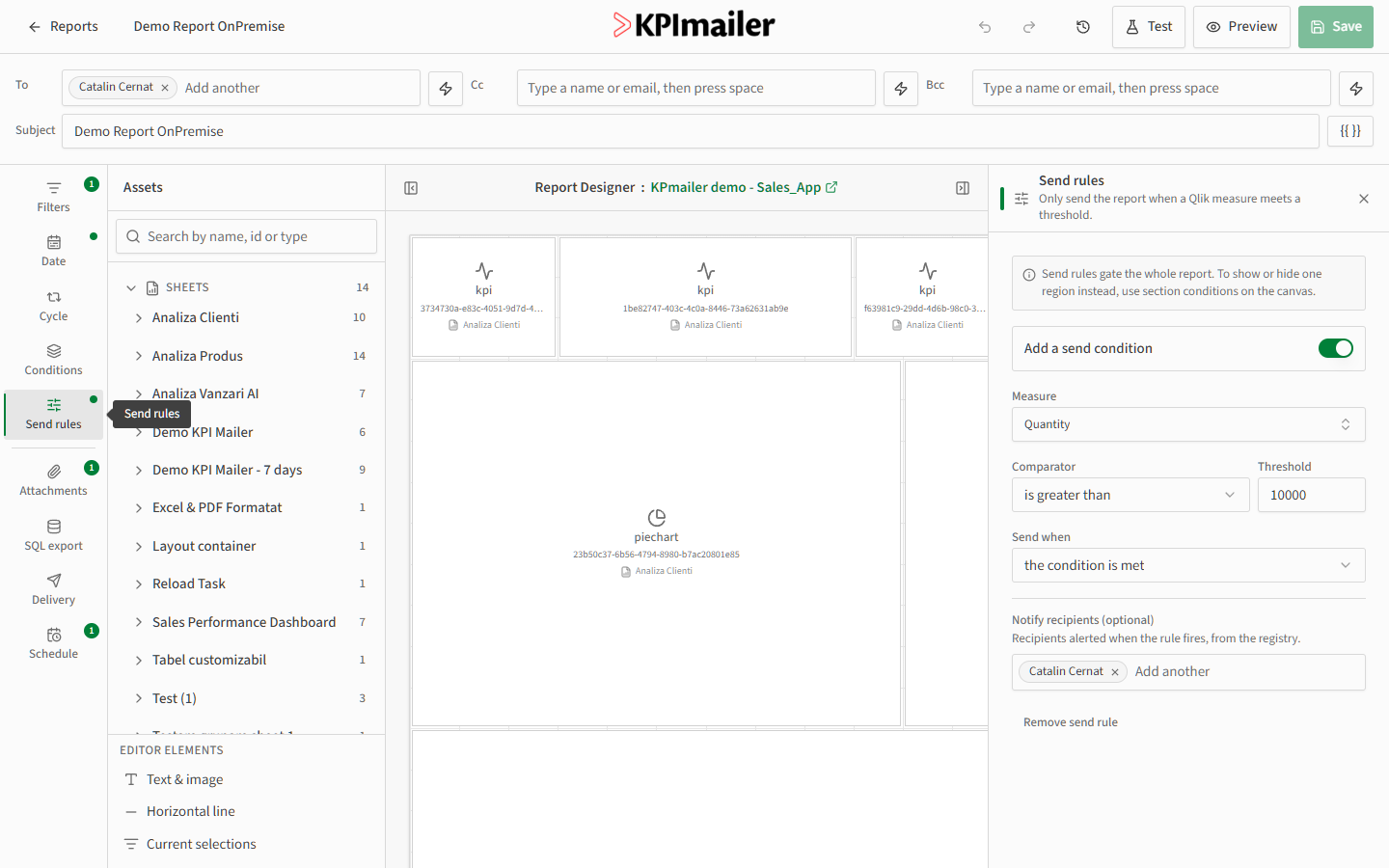
Turn on Add a send condition, pick a Measure, a Comparator, and a Threshold, and choose whether to send when the condition is met or when it isn’t. Optionally add Notify recipients who get an alert when the rule fires, even if they aren’t on the report itself.
Worked example
Section titled “Worked example”A weekly inventory report should only go out when stock issues exist, and should be split per warehouse so each manager only sees their own location: set a Send rule of Total Quantity is less than 100, scope the Date range to Last 7 days, and turn on Cycle with the Warehouse field as the burst field. Each week, only warehouses under threshold receive an email, and each one only sees their own data.