Qlik servers
Connects KPImailer to your Qlik Sense deployment - one on-premise Qlik Sense Enterprise server and one Qlik Cloud tenant - and controls how hard each connection is worked.
-
Open Settings → Qlik servers. Each configured server shows a Configured badge, its display name and URL, and when apps were last synced.
-
Select Edit on a server to change its settings.
On-premise (certificate-authenticated Qlik Sense Enterprise on Windows):
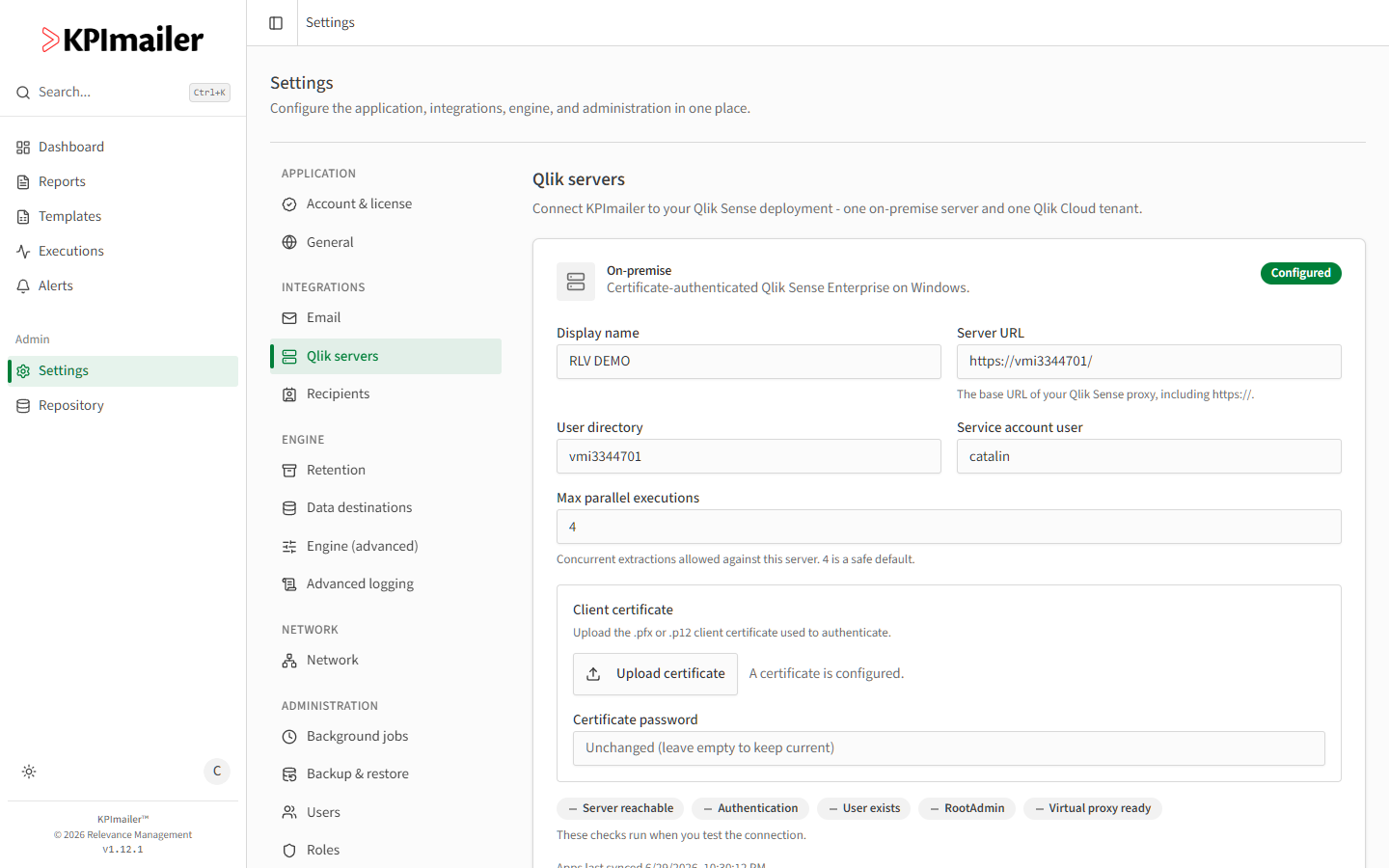
- Display name, Server URL (the Qlik Sense proxy base URL, including
https://), User directory, and Service account user identify the connection. - Max parallel executions caps concurrent extractions against this server - 4 is a safe default.
- Client certificate - upload a
.pfxor.p12client certificate to authenticate. Certificate password is encrypted and not shown again; leave it blank to keep the current one.
Qlik Cloud (OAuth2 machine-to-machine client):
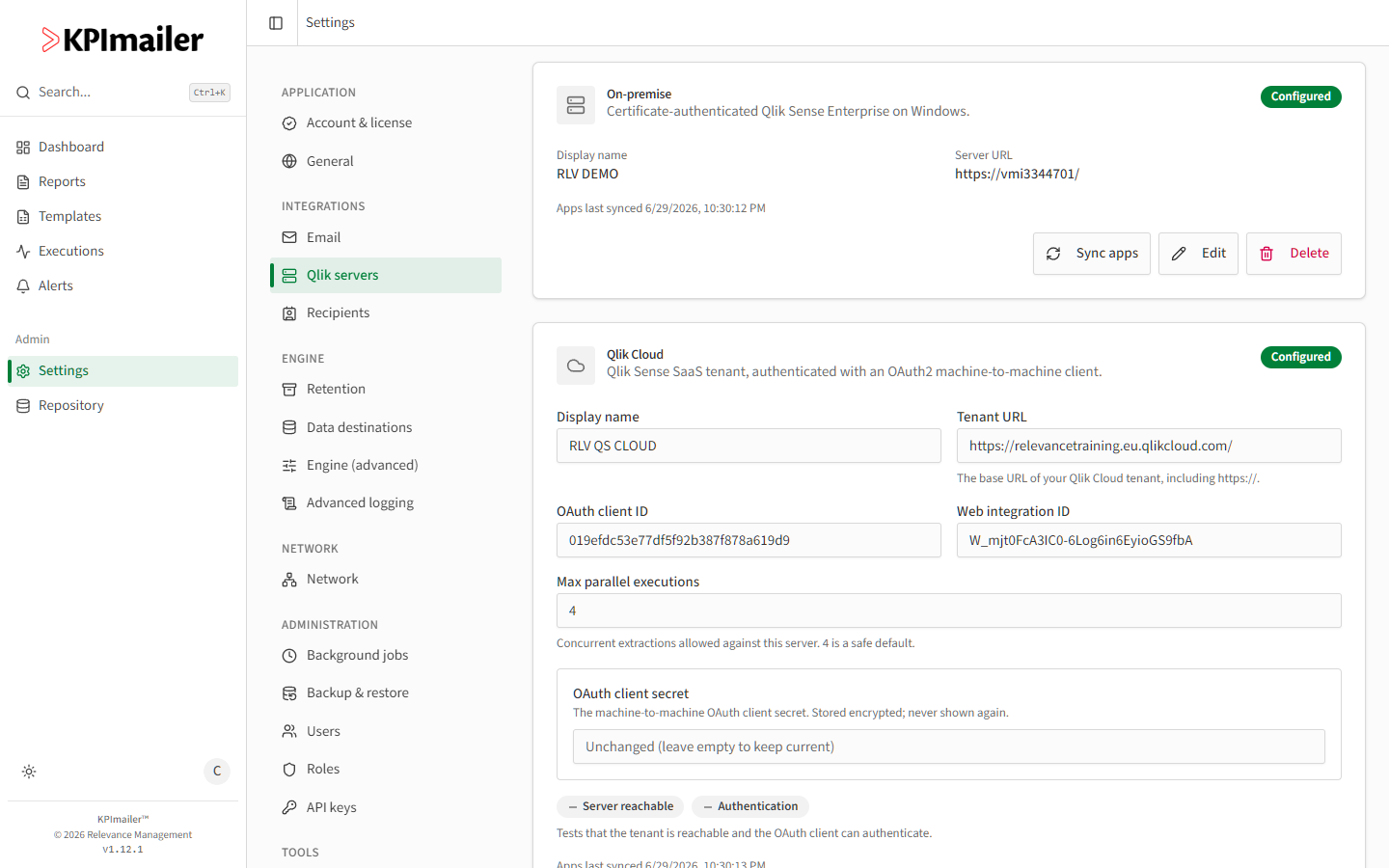
- Display name and Tenant URL (including
https://) identify the tenant. - OAuth client ID and Web integration ID come from the M2M OAuth client you create in the Qlik Cloud tenant. OAuth client secret is encrypted and never shown again after saving - leave it blank to keep the current one.
- Display name, Server URL (the Qlik Sense proxy base URL, including
-
Select Test connection before saving. The checks shown differ by server type: on-premise verifies Server reachable, Authentication, User exists, RootAdmin, and Virtual proxy ready; Qlik Cloud verifies Server reachable and Authentication.
-
Select Save.
-
Use Sync apps any time to pull newly published apps into the Qlik Repository without waiting for the next automatic sync.
When to change this
Section titled “When to change this”- Rotating credentials - replace the client certificate (on-premise) or the OAuth client secret (Qlik Cloud) before the old one expires, and test the connection before relying on it.
- A Qlik admin changes the service account or its permissions - update Service account user / User directory (on-premise) or the OAuth client (Cloud) to match.
- Reports are slow or timing out under load - lower Max parallel executions if the Qlik server itself is struggling to keep up with concurrent extractions; raise it if the server has headroom and reports are queuing unnecessarily.
Worked example
Section titled “Worked example”A certificate used for the on-premise connection is due to expire next week. An administrator
generates a new client certificate on the Qlik Sense server, opens Settings → Qlik
servers → Edit on the on-premise entry, uploads the new .pfx file with Upload
certificate, enters its password, and selects Test connection - all five checks pass, so
they save with confidence before the old certificate expires.