Attachments
Adds Excel, PDF, and CSV files to the report email, built from live Qlik data each time it runs.
- Open the Attachments tab in the data-scope rail.
- Select Excel, PDF, or CSV to add an attachment of that type. You can add more than one, and mix types, on a single report.
- Configure the attachment (each type has its own options - see below), repeating for any others you’ve added.
- Optionally turn on Preload all attachments to preload every attachment’s data before export, overriding the per-attachment setting - useful when render accuracy matters more than speed.
Excel workbook
Section titled “Excel workbook”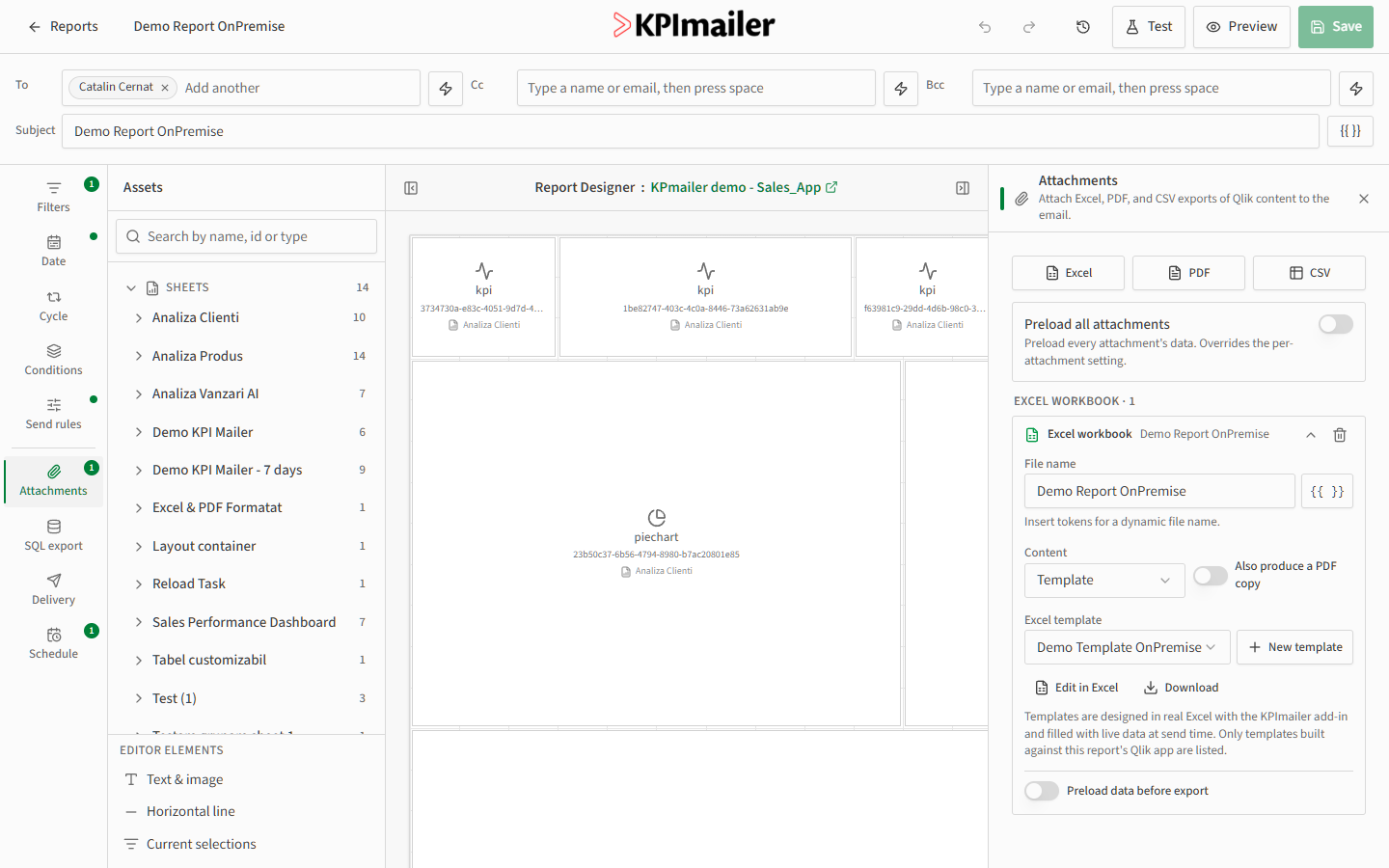
Set a File name (tokens supported, so it can vary per run). For Content, choose Template to fill a reusable Excel template with live data, with the option to also produce a PDF copy of it. Templates are designed in real Excel with the KPImailer add-in; only templates built against this report’s Qlik app are listed. Use Edit in Excel to open the template for editing, or Download to get a copy.
PDF document
Section titled “PDF document”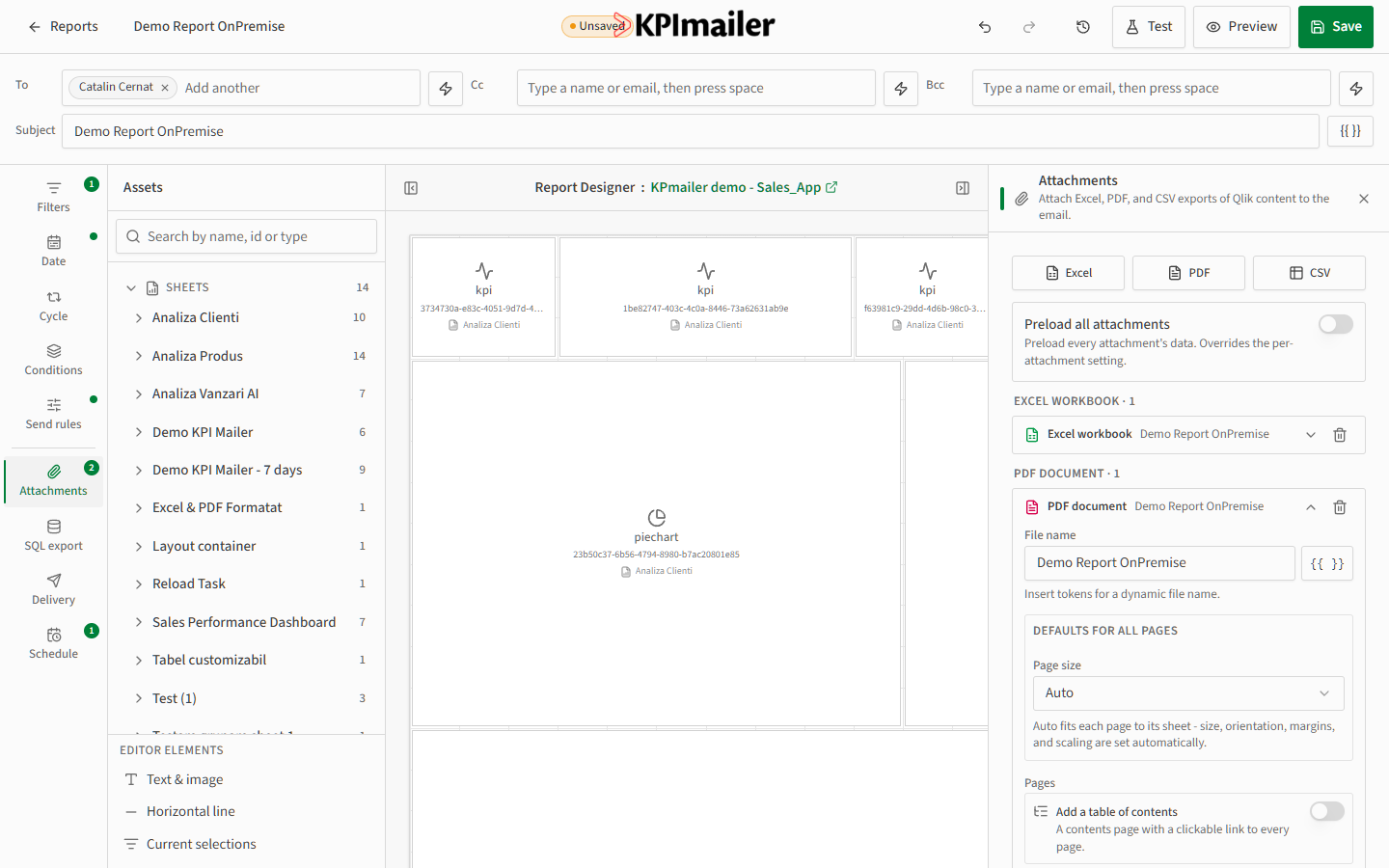
Set a File name, then Page size for all pages (Auto fits each page to its sheet’s size, orientation, and margins automatically). Turn on Add a table of contents to prepend a contents page with a clickable link to every page - handy for longer reports.
CSV file
Section titled “CSV file”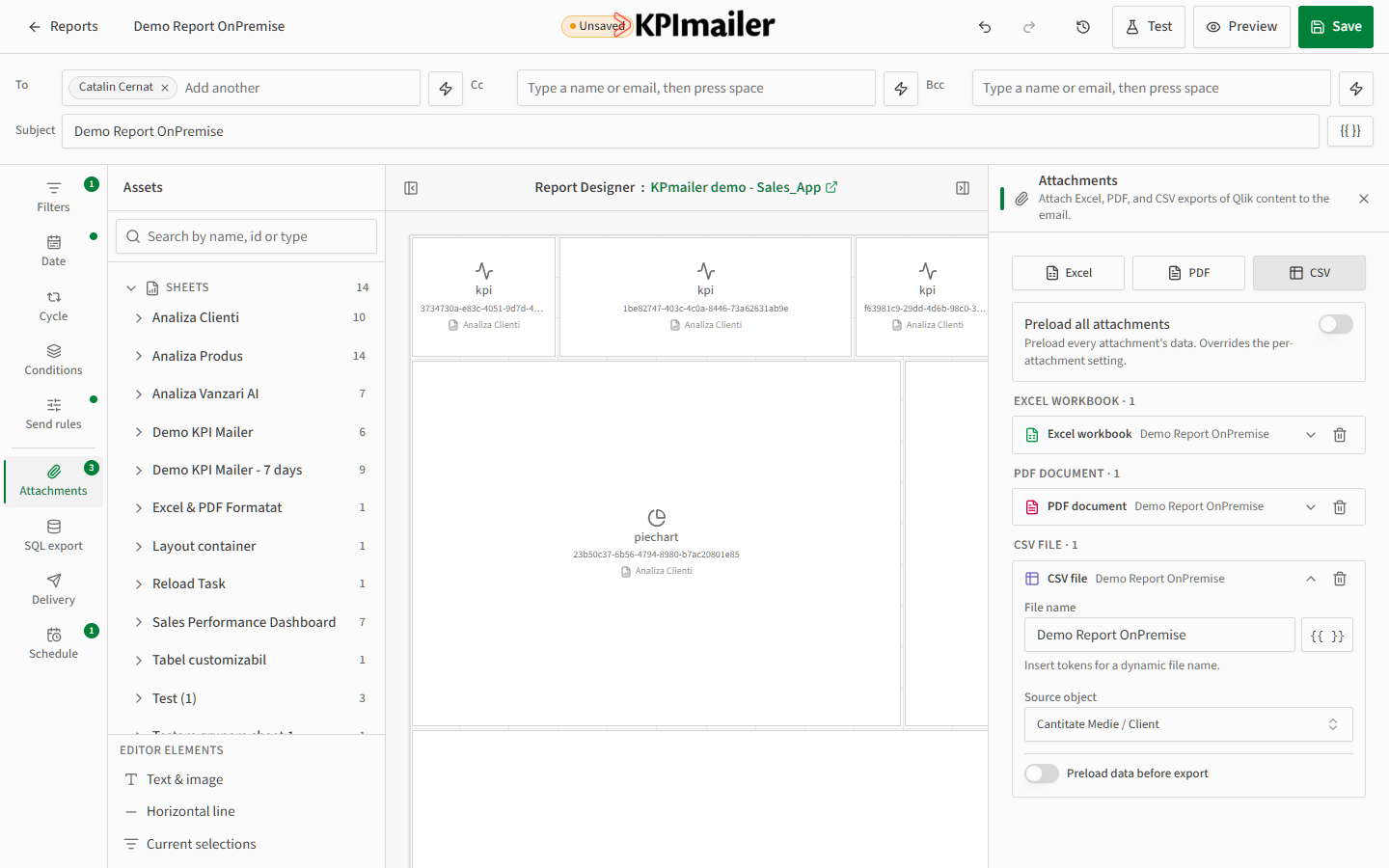
Set a File name and choose the Source object - the Qlik table or chart whose underlying data should be exported as raw CSV rows.
Worked example
Section titled “Worked example”A monthly report needs a polished Excel copy for finance and a quick CSV for a downstream script. Add an Excel attachment, set its content to Template, and pick the finance team’s Excel template. Add a CSV attachment and point its Source object at the underlying sales table. Both are rebuilt from live data and attached automatically every time the report runs.