Subject line & tokens
Makes the email subject line dynamic, so it reflects live data, the run date, or the current bursting value instead of staying static every time the report sends.
- Click into the Subject field at the top of the editor and type your subject text.
- Wherever you want a live value, select Insert token (the
{{ }}button) and pick one from the menu, or start typing in Search tokens to filter the list.
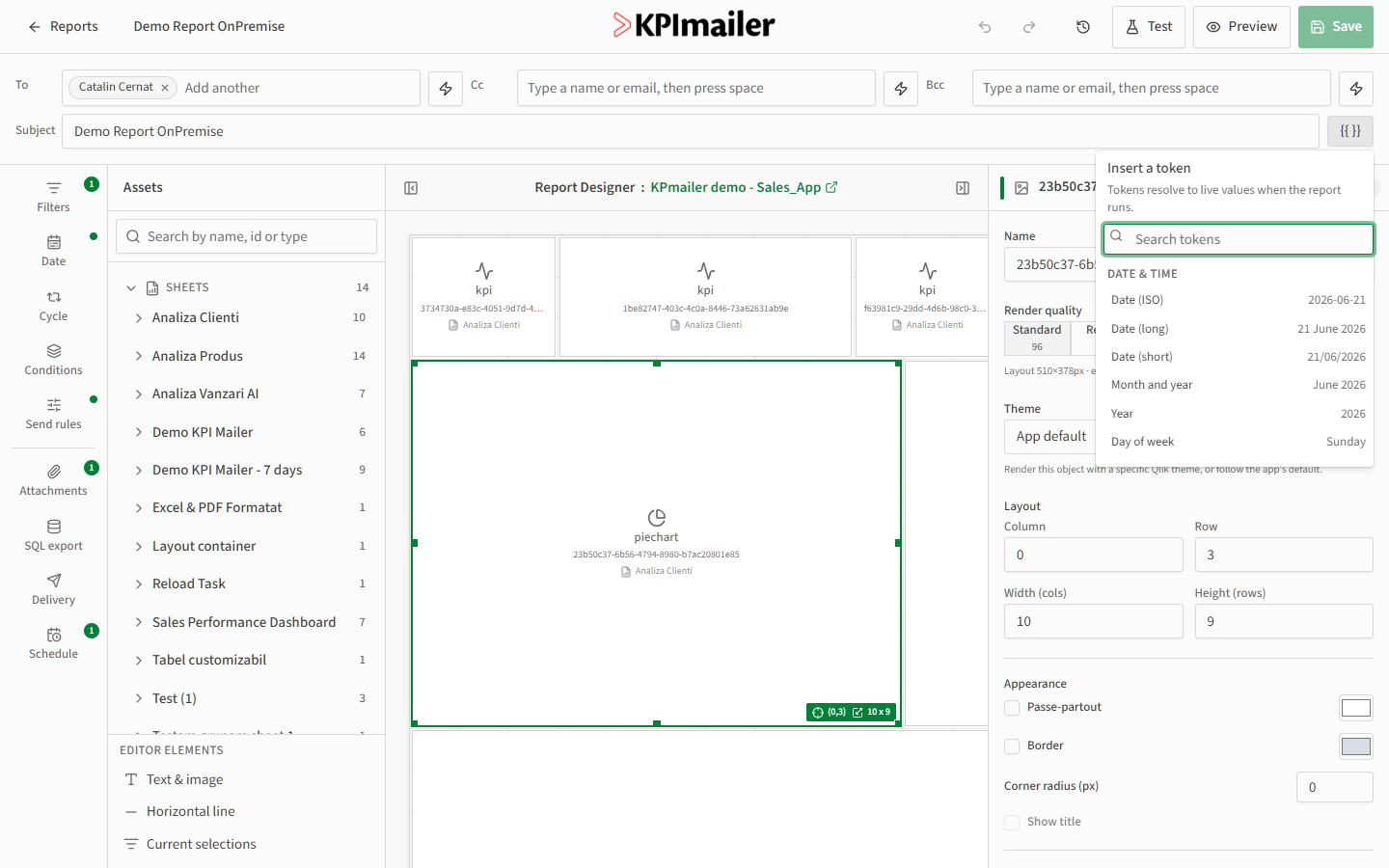
Tokens are grouped by category:
- Date & time - the run date in several formats, the month and year, day of week, or a full date and time stamp.
- Report - the report’s own name, or its execution date.
- Cycle - the current value of the bursting field, when the report is split per recipient.
- Measures and Dimensions - live values pulled straight from the connected Qlik app.
A token appears in the subject field as {{Token name}} and resolves to its live value the
moment the report runs - the same token always reflects current data, not whatever it
showed when you last edited the report.
Worked example
Section titled “Worked example”For a report that bursts by customer, set the subject to
{{Report name}} - {{Cycle value}} - {{Date (long)}}. Each recipient’s copy renders with
their own name and the current date in place of the tokens, for example
“Monthly sales summary - Acme Corp - 21 June 2026”.