UDP alerting listener
Configures the UDP listener that receives task-reload alert signals from an on-premise Qlik Sense Enterprise environment, so KPImailer’s task-reload alerts fire the moment a reload finishes.
-
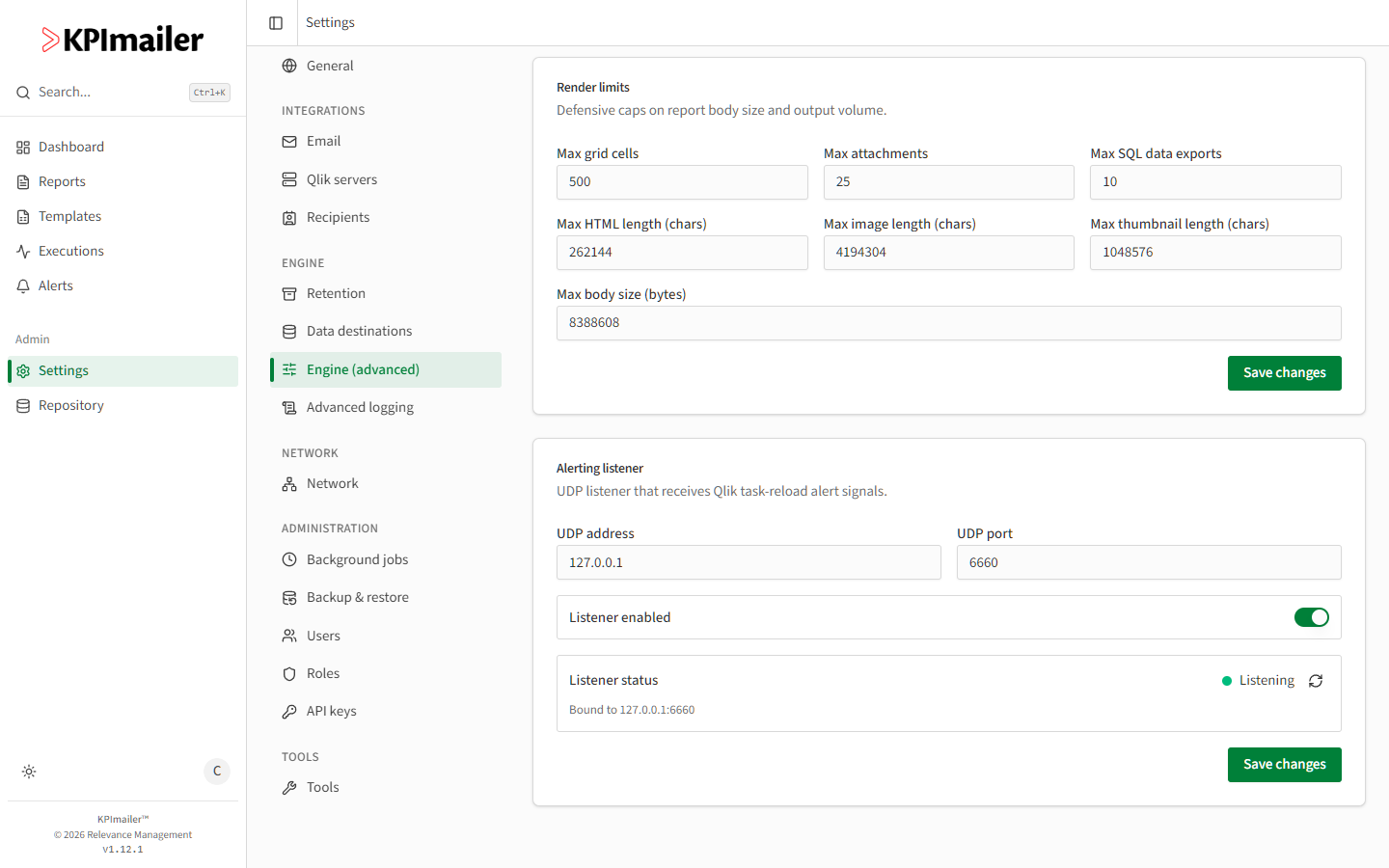
Open Settings → Engine (advanced) and find the Alerting listener card.
-
Set the UDP address and UDP port the listener binds to - these must match what your Qlik Sense Enterprise environment is configured to send alert signals to.
-
Turn on Listener enabled.
-
Select Save changes. The Listener status card confirms whether it’s Listening and which address it’s bound to - use Refresh to re-check after a change.
Worked example
Section titled “Worked example”An on-premise Qlik Sense environment is configured to send a UDP signal to KPImailer on
every monitored task reload. The administrator sets the listener to 127.0.0.1:6660 (the
KPImailer server’s local address), enables it, saves, and confirms Listening appears
with the right bound address - from then on, task-reload alerts fire the instant a watched
reload completes, rather than relying on polling.