Engine settings
Tunes how patiently and how resiliently KPImailer talks to Qlik, and caps how large a single report’s output is allowed to get.
These defaults work for most installations - this page matters most when reports are timing out, a flaky Qlik server needs more resilience, or a report is hitting an output cap.
Qlik connector
Section titled “Qlik connector”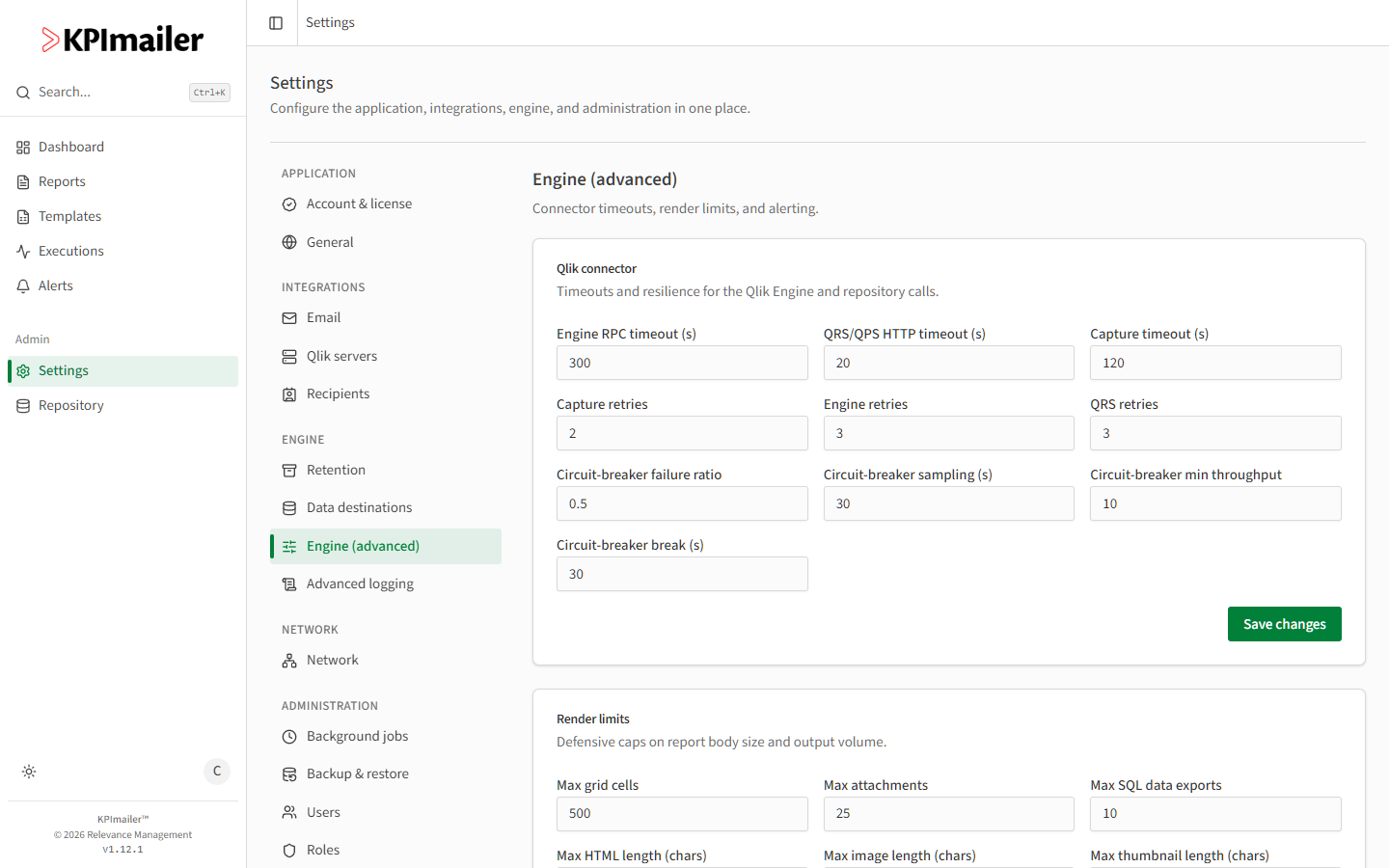
- Open Settings → Engine (advanced).
- Set timeouts, in seconds: Engine RPC timeout (default 300) for calls to the Qlik Engine, QRS/QPS HTTP timeout (default 20) for Qlik Repository/Proxy API calls, and Capture timeout (default 120) for rendering a single object.
- Set retry counts: Capture retries (default 2), Engine retries (default 3), and QRS retries (default 3).
- Tune the circuit breaker, which stops hammering a struggling Qlik server: Circuit-breaker failure ratio (default 0.5 - the fraction of calls that must fail to trip it), Circuit-breaker sampling (s) (default 30 - the window failures are measured over), Circuit-breaker min throughput (default 10 - calls needed in that window before the ratio is evaluated), and Circuit-breaker break (s) (default 30 - how long the breaker stays open before retrying).
- Select Save changes.
Render limits
Section titled “Render limits”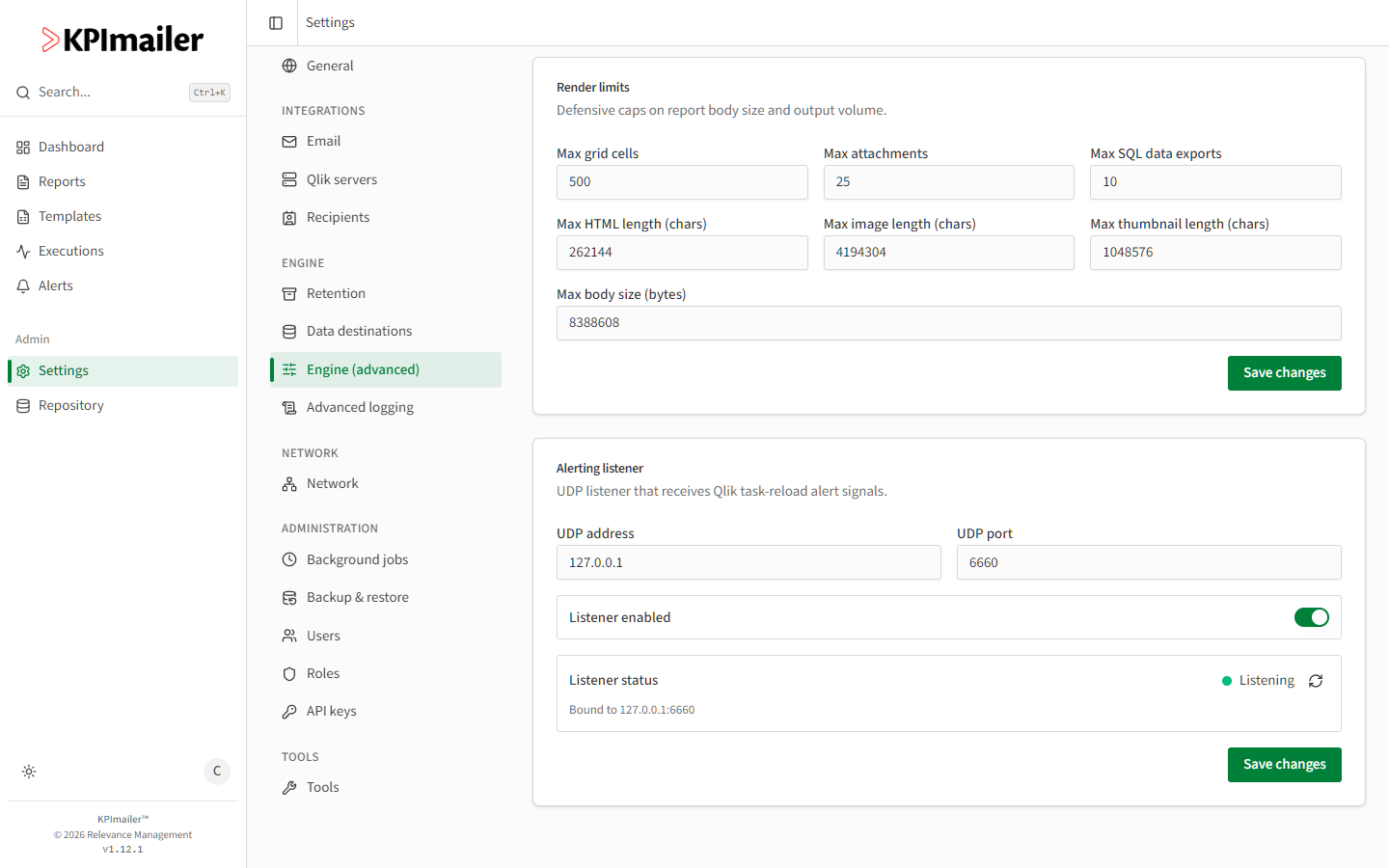
- In the same Engine (advanced) page, scroll to Render limits - defensive caps on report body size and output volume.
- Set Max grid cells (default 500), Max attachments (default 25), and Max SQL data exports (default 10) per report.
- Set Max HTML length, Max image length, and Max thumbnail length, each in characters (defaults 262144, 4194304, and 1048576), and Max body size in bytes (default 8388608).
- Select Save changes.
When to change this
Section titled “When to change this”- Reports against a large or slow Qlik app time out - raise Engine RPC timeout or Capture timeout before assuming the report itself is broken.
- A Qlik server is unreliable or under maintenance often - lower the circuit-breaker failure ratio or raise min throughput so KPImailer backs off sooner, protecting both sides from repeated failed calls.
- A report legitimately needs a very large grid, more attachments, or a bigger SQL export than the defaults allow - raise the relevant render limit rather than splitting the report unnecessarily.
Worked example
Section titled “Worked example”A report against an unusually large Qlik app started timing out after the app grew. An administrator raises Capture timeout from 120 to 240 seconds and Engine RPC timeout from 300 to 600, saves, and re-runs the report - it now completes instead of failing partway through rendering.